

Cashier
Open a drawer with a float, watch expected totals grow as you post payments, count and close the drawer with any variance explained, and review shift history.
A cashier shift is a time window owned by one user. Every payment that user posts between opening and closing the drawer is expected to be in that drawer, on that terminal or in that bank account. Closing the shift compares what was counted with what was posted; the difference is the variance, and it is recorded with a reason — never corrected into the ledger.
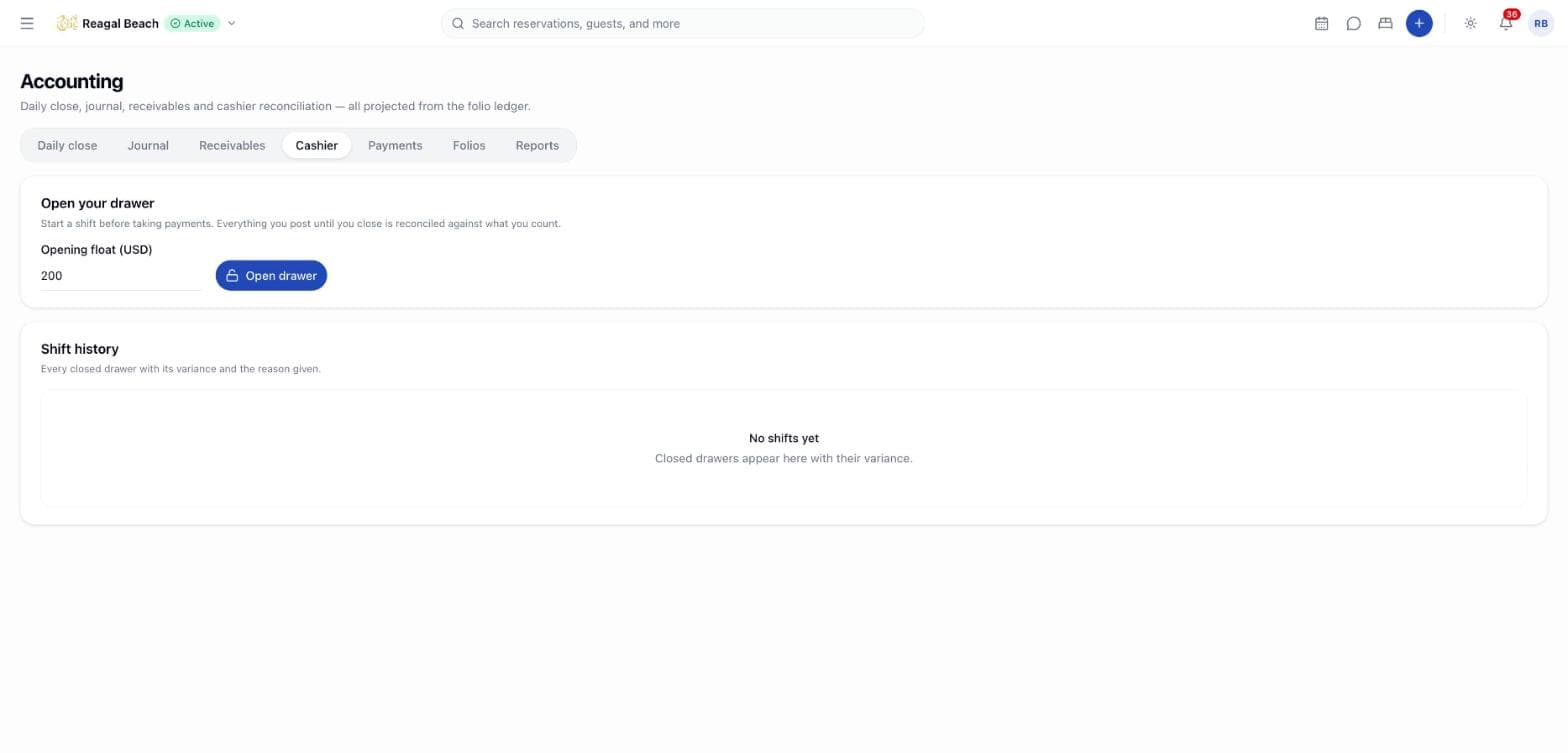
Open Accounting in the sidebar and choose the Cashier tab. Running a drawer needs accounting: cashier ("Requires accounting cashier permission" on a button you cannot use); reading shift history needs accounting: read. The Front Desk role holds the cashier bit and the Accountant role deliberately does not — the person who reconciles the drawer must not be the person who counts it.
Key terms
Opening float — the cash placed in the drawer at the start of the shift. It is added to the expected cash figure and is not a payment.
Expected — the sum of payments you posted during the shift, split by method group: Cash, Card, Bank transfer, Other (from Settings › Accounting › Payment methods). Cash includes the float.
Counted — what you declare when closing, per group.
Variance — counted minus expected. Positive means over, negative means short.
Open your drawer
Enter the float
With no open shift the page shows Open your drawer — Start a shift before taking payments. Everything you post until you close is reconciled against what you count. Enter the Opening float in the property currency.
Open drawer
Click Open drawer. "Drawer opened" confirms it. You can have one open drawer at a time ("You already have an open drawer; close it before opening another").
While the drawer is open
The panel reads Your drawer is open — Opened {time} with a {float} float. Expected totals update as payments are posted. Tiles show the expected Cash (marked incl. float), Card, Bank transfer and Other totals and the Expected total. Post payments from folios as usual; refunds reduce the expected figure for their group, and payments posted by other users do not count toward your drawer.
Close the drawer
Count
Click Close drawer. The Close drawer dialog reads Count what is in the drawer. Expected cash includes the {float} opening float. It lists Method, Expected, Counted and Variance for each group, with totals underneath. Enter the Counted amount for each group; cash is required, the others default to zero.
Explain any variance
Variance is calculated as you type. If any group differs from expected, the Variance reason field becomes required (Why does the count differ?); when everything matches it shows (none needed) and is disabled.
Close drawer
Confirm with Close drawer. "Drawer closed" confirms it; the shift moves to history with its variance and reason, and the page returns to Open your drawer for the next shift or the next cashier.
Shift history
Shift history — Every closed drawer with its variance and the reason given. — lists each shift with Cashier, Opened, Closed (an Open badge while still running), Float, Expected, Counted, Variance and Reason. The Settlement report under Accounting › Reports breaks the same payments down by cashier for a date range — see Reports & exports.
Handover
Shifts are per user, so a handover is one cashier closing and the next opening. Count and close before leaving the desk; the incoming cashier opens with the float they take over, which becomes the first line of their expected cash. There is no shared or property-wide drawer.
Common mistakes
- Posting payments before opening the drawer. They are still recorded on the folio, but they fall outside any shift and will not be in your expected totals.
- Counting the float separately. Expected cash already includes it; count everything in the drawer.
- Mapping methods after the fact. A payment whose method is not mapped counts as
Other; map spellings in settings before you close if the cash total looks short.
Related
Receivables & City Ledger
Set up company and agent accounts, transfer folio balances to them, watch aging, record receipts and print statements from Accounting › Receivables.
Journal
Read the double-entry journal Innvera derives from folios and the city ledger, filter it by date and account, check the trial balance, and export it.